The Easiest KVK API (makkelijke kvk api) for Dutch Developers: KVK nummer opzoeken, BTW nummer validatie en bedrijfsgegevens API Nederland
Discover the makkelijke kvk api by KVKBase — the easiest KVK API for KVK nummer opzoeken, BTW nummer validatie and bedrijfsgegevens API Nederland. Includes KVK lookup API and VIES validation in one simple REST API or embeddable widget.
Building an application that deals with Dutch businesses? At some point you will need a KVK API. Whether you are pre-filling company details at registration, validating a VAT number, or enriching your CRM with up-to-date data — you need reliable, fast access to Dutch company information. This article explains why KVKBase is the easiest KVK API available for Dutch developers, and how to get started in under five minutes.
Why Use a KVK API?
KVK number lookup is one of the most requested features in B2B software. When a business signs up on your platform, you want to verify that the KVK number is valid, confirm the company is still active, and retrieve the associated business details. Doing this manually — or asking users to fill everything in themselves — wastes time and introduces errors.
A good Dutch company data API solves this cleanly. You send a KVK number or company name to the endpoint, and within milliseconds you receive a complete business profile: trade name, address, legal form, SBI codes, and more. No manual forms, no verification backlog.
What Makes KVKBase the Easiest KVK API?
Many developers hit friction when working with Dutch business data for the first time: complicated onboarding procedures, outdated documentation, or inconsistent response formats. KVKBase is built with developer experience as the primary goal. The easy KVK API we provide is based on three core principles:
- One endpoint, direct JSON response — no XML parsing, no complex authentication flows
- Free tier available — start immediately, pay only when you scale
- VAT number validation included — via VIES, without a separate integration
That turns integrating Dutch company data into a matter of minutes rather than days.
KVK Number Lookup in Three Lines of Code
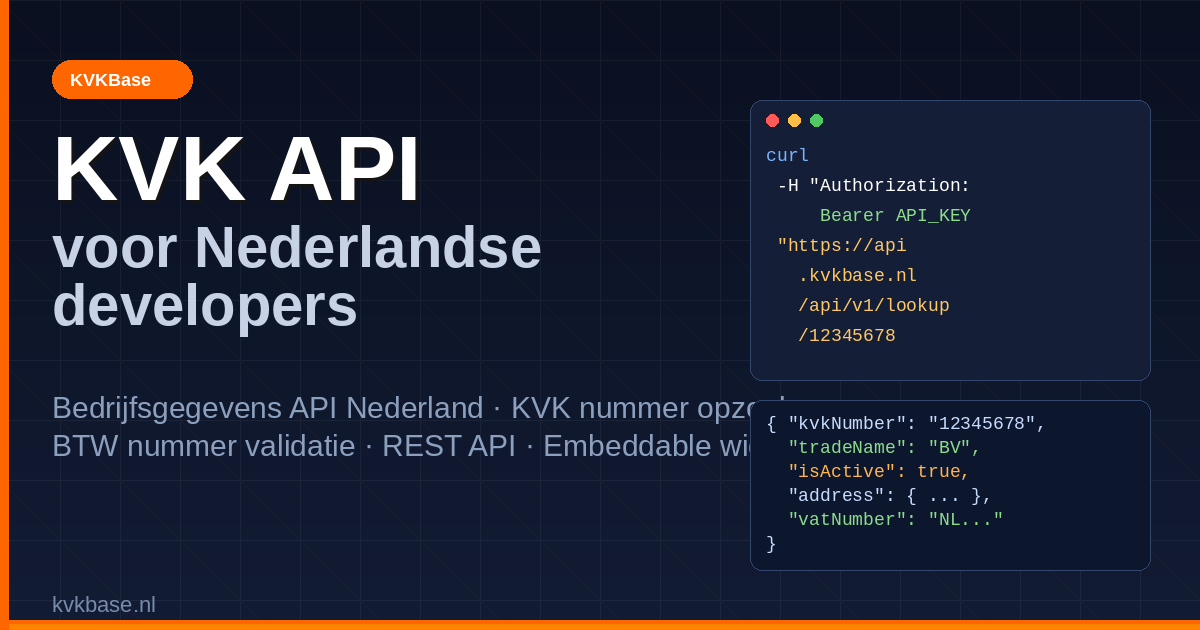
Looking up a KVK number with KVKBase is straightforward. Request an API key at kvkbase.nl and run your first request:
curl -H "Authorization: Bearer YOUR_API_KEY" \
  "https://api.kvkbase.nl/api/v1/lookup/12345678"
The response gives you all the relevant company data immediately:
{
  "kvkNumber": "12345678",
  "tradeName": "Example B.V.",
  "legalForm": "Besloten Vennootschap",
  "address": {
    "street": "Keizersgracht",
    "houseNumber": "1",
    "postalCode": "1015CN",
    "city": "Amsterdam"
  },
  "isActive": true,
  "sbiActivities": [
    {
      "sbiCode": "62010",
      "sbiDescription": "Development and production of software",
      "isMainActivity": true
    }
  ]
}
No transformations, no mapping — ready to drop straight into your application.
Search by Company Name
Do not have the KVK number yet? Search by name instead:
curl -H "Authorization: Bearer YOUR_API_KEY" \
  "https://api.kvkbase.nl/api/v1/search?q=Bol.com"
You receive a list of matching companies including KVK numbers, so the user can select the right one.
VAT Number Validation: All in One API
A common pattern in B2B platforms is to integrate KVK data and VAT number validation separately. With KVKBase that is unnecessary. A single call to the /validate/vat endpoint validates any Dutch or European VAT number directly via the VIES system:
curl -H "Authorization: Bearer YOUR_API_KEY" \
  "https://api.kvkbase.nl/api/v1/validate/vat?vatNumber=NL123456789B01"
You receive not just a valid/invalid flag, but also the associated company name and address — ideal for invoice validation and EU compliance workflows.
For a deeper technical dive into VAT validation, see our guide to Dutch VAT number validation via VIES.
Dutch Company Data API: What Do You Get Back?
The KVKBase Dutch company data API provides access to all publicly available trade register data:
- Trade name and any additional registered names
- Full address (visiting and postal)
- Legal form (BV, NV, sole trader, foundation, etc.)
- SBI codes with descriptions and main/secondary activity flag
- Branch number(s)
- Date of incorporation
- Active/inactive status
- VAT number (where available)
Everything you need for onboarding, invoicing, CRM enrichment, and compliance — in a single clean JSON response.
Fetching Dutch Company Data in JavaScript
Working on a frontend or Node.js application? You can call the API directly from your code:
async function fetchCompanyData(kvkNumber) {
  const response = await fetch(
    `https://api.kvkbase.nl/api/v1/lookup/${kvkNumber}`,
    {
      headers: {
        'Authorization': 'Bearer YOUR_API_KEY',
      }
    }
  );

  if (!response.ok) {
    throw new Error(`API error: ${response.status}`);
  }

  return response.json();
}

// Auto-fill form fields on KVK input
document.getElementById('kvk-input').addEventListener('change', async (e) => {
  const data = await fetchCompanyData(e.target.value);
  document.getElementById('company-name').value = data.tradeName;
  document.getElementById('address').value =
    `${data.address.street} ${data.address.houseNumber}`;
  document.getElementById('postal-code').value = data.address.postalCode;
  document.getElementById('city').value = data.address.city;
});
This is the core pattern developers use for registration forms, checkout flows, and CRM input screens.
The KVKBase Widget: Fetch Company Data Without Writing Code
Want to add company data lookup without building a full integration? The KVKBase embeddable widget is the fastest path. Drop a single script tag into your HTML and you have a working company search field:
<script src="https://widget.kvkbase.nl/embed.js"
        data-api-key="YOUR_API_KEY"
        data-target="#company-search">
</script>
The widget is fully style-customisable, works out of the box, and is ideal when you need something working quickly without wiring up the REST API yourself. You can also use the widget and the API together: the widget for the user interface, the API for server-side validation.
KVKBase Compared to Other KVK API Options
Compared to other KVK API providers, KVKBase stands out for its combination of simplicity and completeness. The official KVK API requires weeks of onboarding and only provides KVK data, without VAT validation or an embeddable widget.
| Feature | KVKBase | Official KVK API |
|---|---|---|
| Sign-up time | Minutes | Weeks |
| VAT number validation | Included | Not available |
| Embeddable widget | Yes | No |
| JSON response | Yes | Yes (also XML) |
| Free tier | Yes | No |
| Search by name | Yes | Yes |
| SBI codes | Yes | Yes |
Common Use Cases
Developers use the KVKBase KVK API across a wide range of scenarios:
B2B Customer Onboarding
When a business creates an account, you ask for the KVK number, auto-fill the company details, and verify the company is active — all in one step. This reduces typos and improves the quality of your customer data.
Invoice Validation
Before sending an invoice, you verify the customer’s VAT number via VIES. This is a legal requirement for intra-community supply transactions within the EU.
CRM Enrichment
Add up-to-date company data to existing customer records via batch lookups. This ensures trade names, addresses, and legal forms are always accurate.
Compliance and KYC
Automatically check whether companies are active and what sector they represent via their SBI codes. Valuable for financial institutions and platforms with Know Your Customer obligations.
Get Started with the KVKBase KVK API
Ready to integrate the easiest KVK API into your project? Here is how:
- Create a free account at kvkbase.nl
- Copy your API key from the dashboard
- Run your first lookup using the curl command above
- Integrate the KVK API or widget into your application
The free tier provides ample capacity for most initial projects. When your usage grows, upgrading to a paid plan is a single click in the dashboard — no contracts, no commitments.
Questions or a specific use case to discuss? Reach out via kvkbase.nl — we are happy to help.